A clearer path to a consultation for a family law firm
I redesigned and rebuilt an established WordPress site so prospective clients could find the right service, understand what happens next, and contact the firm from their phone.
The first step is easier to find
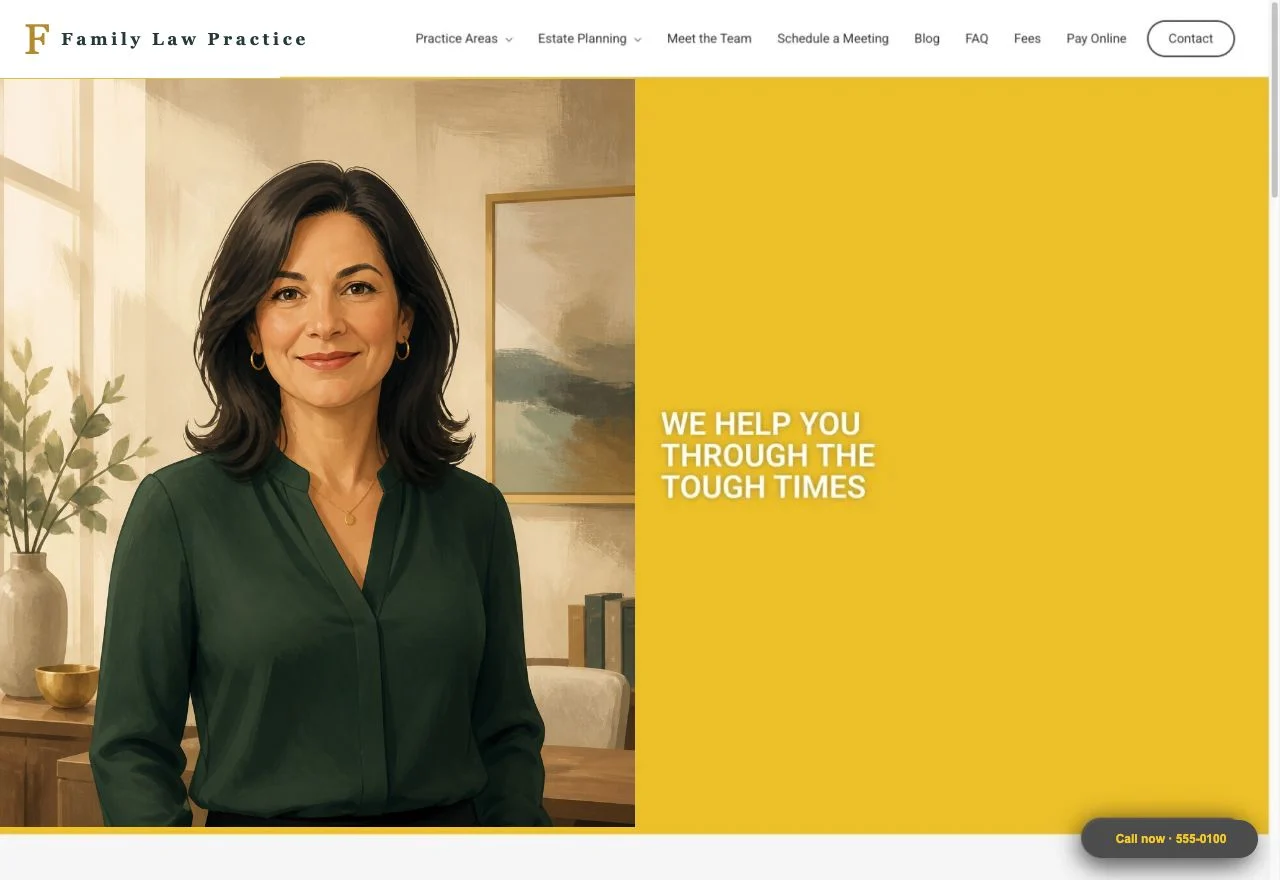
The old homepage opened with a portrait and a broad welcome message. The redesign uses that same space to name the practice areas, introduce the attorney and give visitors the option to call or send an inquiry.

On a phone
Previously, visitors scrolled past the portrait, slogan and a long introduction to reach the main contact button. The redesign puts contact and call options in the opening section, with direct links to the main services immediately below.
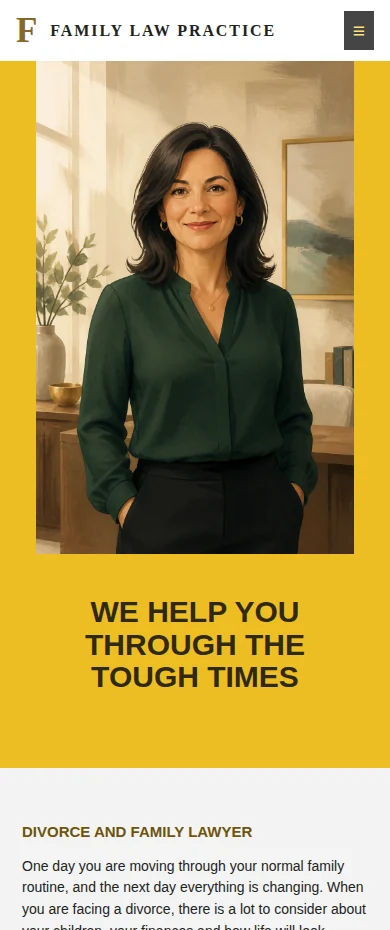
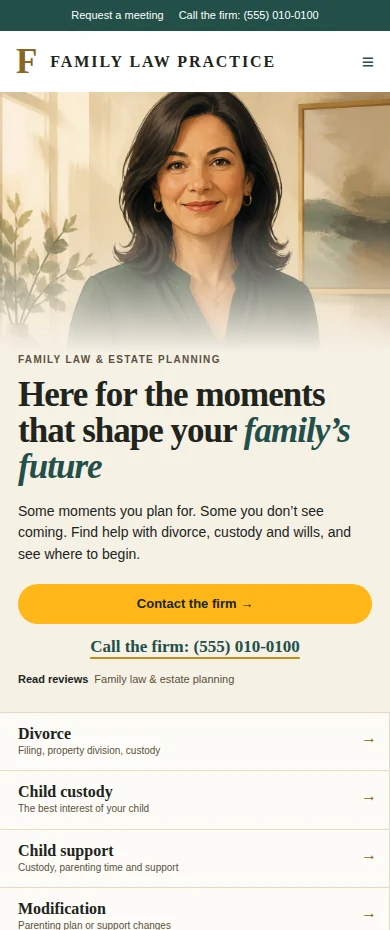
Anonymized recreations of the previous and launched designs. The firm’s name, portrait and contact details are illustrative.
The main content appeared sooner in mobile testing
On the same production homepage, mobile PageSpeed Insights measured Largest Contentful Paint at 9.6 seconds before the rebuild and 3.2 seconds after launch.
| Mobile PageSpeed Insights | Before Nov 19, 2026 | After Nov 25, 2026 |
|---|---|---|
| Largest Contentful Paint | 9.6 s | 3.2 s |
| Performance score | 67 | 91 |
The before and after figures each come from one simulated mobile run in PageSpeed Insights. At launch, three Lighthouse runs in a separate test environment recorded a median LCP of 3.4 seconds and a median performance score of 76.
What visitors need before they reach out
The old site already had service pages and reviews. On the homepage, the service list followed a long introduction, and visitors saw one testimonial at a time in a carousel. The redesign gave each of these elements a more useful place in the journey.
Find the right practice area
Quick links under the hero give visitors a direct route to common issues such as divorce, custody and support. A fuller index covers family law and estate planning further down the page.
Know who will handle the case
The attorney’s portrait sits beside the firm’s introduction and contact options. Professional credentials appear early, and selected reviews can be read together on the page.
See what happens after contact
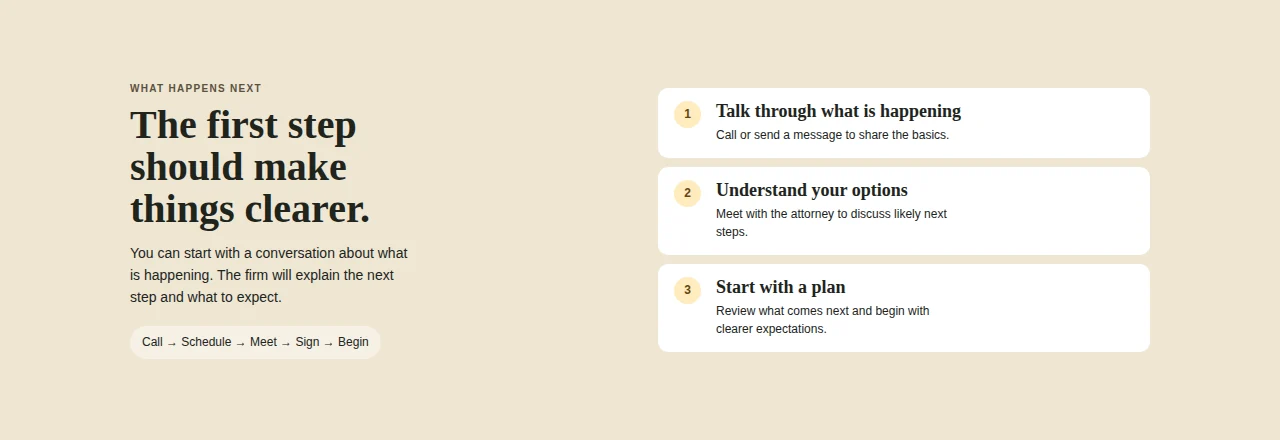
The homepage explains the first conversation, the consultation and what it takes to start working with the firm. The consultation page sets expectations and links to booking.
A new frontend for an established site
I rebuilt the Elementor frontend with reusable GeneratePress and GenerateBlocks templates. Existing articles carried over, while service pages were rebuilt in blocks and estate planning was organized around a landing page and four service pages.
The release preserved existing URLs where possible. At launch, I checked the sitemap and canonical URLs, all 50 published destinations and the 20 redirects that cover legacy and changed URLs.
The custom contact form is configured to send inquiries to Clio Grow. Consultation booking opens in Clio through an external link.
How I managed the switch
Keep the routes people use
Building from a copy of the existing site let me carry over articles, media and established URLs, then map redirects for the paths that changed.
Launch the templates together
The homepage and the rest of the site went live together after staging review, so visitors could move between services, articles and contact in a consistent design from day one.
Check details people rely on
I caught an outdated office address in the design and corrected it before the build.
Make the first step clearer for your clients
If your firm already has a WordPress site, I can help you make services and consultations easier to find while protecting the content and URLs people already use.